
Facebook cover cropper
Start with the 851:315 cover frame, then check what each device will show.
No uploads, no AI-generated images — your photo never leaves your device.
Batch mode: up to 5 photos · analyzed on your device
A cover needs a different kind of space.
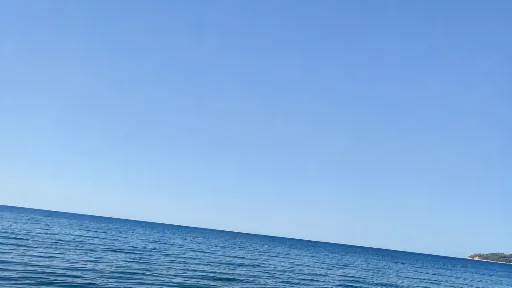
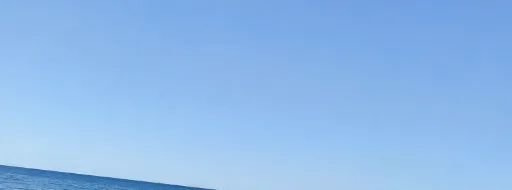
A panoramic frame keeps a long view. Keep important details away from edges that a phone layout may hide.
Generated demonstration source; actual CropBetter export.
Choose the frame for your next task
Each tool starts with the frame ready for its purpose.
Photo cropping tool
Compare composition ideas, fine-tune A or B, and keep your preferred framing.
Open toolCrop an image into a square
Start at 1:1 for a profile picture, a product photo or a square post.
Open toolCrop an image to 16:9
Start with a wide frame for a video cover, a screen or a landscape photo.
Open tool
Facebook cover photo size
A Facebook cover is a wide header, so it needs a different decision from a square post or a video frame. This cropper starts with the 851 × 315 reference ratio already selected. Choose an image with room around the subject, then compare the locally analyzed cover compositions. Click a result photo to keep it and continue, or choose Edit to adjust it. A portrait can lose a large amount of its top and bottom in this shape; a wider source often gives you more freedom.
The preset describes the shape of the crop, not a promise to resize every download to exactly 851 × 315 pixels. CropBetter keeps the native resolution inside your chosen frame and shows the actual export dimensions. It does not stretch the photo, add a border or generate extra background. Use the toolbar if you decide another shape works better, and review the cover in Facebook's own publishing preview before saving it there. This page is an independent tool, not a Facebook uploader.
Mobile visibility and a practical safe area
Desktop and mobile cover layouts can show different parts of a photograph. The commonly cited 640 × 360 mobile display reference describes a display shape, not a literal 640 × 360 safe rectangle inside an 851 × 315 image: its height is larger than that file. Treat the two references as a reason to check both layouts, rather than copying a fixed pixel box onto the original and assuming that it guarantees visibility.
Keep faces, logos and essential details toward the central part of the frame, with extra room around them. Avoid placing important text against an edge or where a profile picture or interface control could cover it. CropBetter does not add text and does not simulate every Facebook interface. Facebook's layout can change, so the final check belongs in its current desktop and phone previews. A wider and a closer version can both be useful; keep both if you need to compare them in that destination.
Frequently asked questions
What is the Facebook cover photo size used here?
This page automatically selects the 851:315 ratio, shown as the 851 × 315 cover reference. Downloads preserve native crop dimensions rather than forcing an 851 × 315 resize. A large source can therefore produce a larger file with that shape; a small source is not enlarged.
Is 640 × 360 a guaranteed mobile safe area?
No. It is a mobile display reference, not a guaranteed safe rectangle inside the 851 × 315 crop. Desktop and phone layouts can crop or cover different regions. Leave breathing room around essential details and review the image in Facebook on both devices before publishing.
Does this upload my cover to Facebook?
No. Your photos remain on your device while you edit and export. Download the file first, then choose it in Facebook yourself. CropBetter does not request a Facebook login, account permission or connection to your page.
Can I straighten and export the cover at full resolution?
Yes. Use the same fine-rotation, ratio-lock and native-resolution export controls as the other CropBetter pages. Keep A, B or both before exporting. JPEG is encoded once at 92% quality; PNG uses lossless encoding, and new exports do not copy EXIF/GPS data.